

We can build a cheap and ready to test Kubernetes lab at home with raspberry hardware.
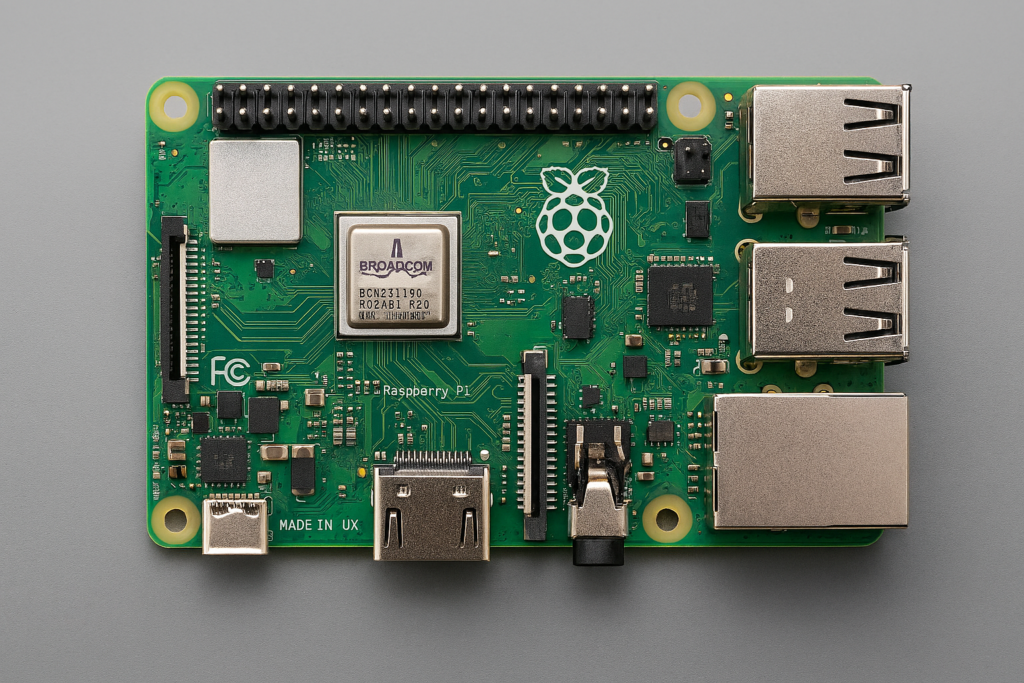
This piece of hardware contains – A compact, credit-card sized chips on board, with ports for USB, HDMI, Ethernet, GPIO pins, and the Broadcom SoC in the center.
Build a Kubernetes Cluster at Home with Raspberry Pi 5 (Step-by-Step Guide)
Why Build a Home Kubernetes Cluster?
Running Kubernetes at home is a fantastic way to learn container orchestration, experiment with cloud-native tools, and create your own mini data center. With Raspberry Pi 5, you can build a powerful, energy-efficient cluster without breaking the bank.
Hardware Shopping List (Netherlands Market)
For a 3-node Raspberry Pi 5 Kubernetes cluster, here’s what you need:
✅ Core Components
- 3 × Raspberry Pi 5 (8 GB)
Price: ~€100 each
Buy from RaspberryStore.nl or Kiwi Electronics - 3 × NVMe SSDs (500 GB)
Options: Crucial P3 Plus (~€54), Kingston NV2 (~€78), Samsung 980 (~€70)
Amazon.nl, Coolblue - 3 × NVMe Adapter for Pi 5
Price: ~€60 each
Bol.com - 3 × Cooling Cases with Fans
Options: Argon NEO 5 (~€23) or Official Pi 5 case (~€13)
RaspberryStore.nl - 3 × Official Raspberry Pi 27W USB-C Power Supplies
Price: ~€13 each
RaspberryStore.nl
✅ Networking
- Gigabit Switch (8-port)
TP-Link TL-SG108 or Netgear GS308 (~€22)
Bol.com
✅ Optional
- microSD Cards (32 GB+) for OS boot fallback
- PCIe cables, mounting screws, and standoffs (~€10 total)
Estimated Total Cost
≈ €850 for a 3-node cluster (including NVMe storage and cooling).
Visual: Raspberry Pi 5 Setup
!Raspberry Pi 5 with NVMe Adapter and Cooling Case
This is how your Kubernetes-ready Pi 5 node will look.
Step 1: Install the OS
- Download Ubuntu Server 22.04 ARM64 or Raspberry Pi OS Lite.
- Use Raspberry Pi Imager or balenaEtcher to flash the image to NVMe or microSD.
- Preconfigure SSH and Wi-Fi in Raspberry Pi Imager for headless setup.
Step 2: Boot and Configure
- Connect power, Ethernet, and boot the Pi.
- Update packages:
- enable ssh – sudo systemctl enable ssh && sudo systemctl start ssh
Step 3: Install Kubernetes
For lightweight clusters, use k3s: curl -sfL https://get.k3s.io | sh –
Or MicroK8s: sudo snap install microk8s –classic
Step 4: Add Storage & Networking
Format NVMe SSDs for persistent volumes.Configure your Gigabit switch for stable connectivity.
Why Raspberry Pi 5?
- Quad-core ARM CPU with PCIe support for NVMe.
- 8 GB RAM for running multiple pods.
- Low power consumption (~10 W per node).
- Affordable and scalable.